
In the modern digital landscape, visibility is the currency of success. Many website owners invest a lot of effort into content, but it often doesn’t reach page one on Google. The missing link is often technical integrity. Using Screaming Frog to boost on-page SEO is more than a skill. It’s essential for anyone focused on digital growth. Looking for SEO packages for your blog or small business? This tool can transform your website. It will transform it from a confusing maze into a powerhouse that is friendly to search engines.
The Screaming Frog SEO Spider is a desktop app that crawls your website. It works like Google’s bots, exploring your site’s structure. Examining your site’s structure reveals insights that regular web tools usually miss. It’s a central data hub. You can diagnose issues like minor meta-tag errors or big site-wide redirect loops.
What is Screaming Frog and Why is it Essential?
The Screaming Frog SEO Spider is all about checking your website’s health. Many think SEO is about keywords. But, search engines care more about user experience and clear tech. Broken links and messy code can hurt your site’s rankings. Even great content won’t help if these issues exist.
For beginners, the tool provides a useful free version. It lets you crawl up to 500 URLs. This is often enough for local business sites or small-scale blogs. If you manage a large e-commerce site or a complex directory, a paid license is a good investment. It often pays for itself. The premium version offers advanced configuration, JavaScript rendering, and third-party API integration. This tool is key to your strategy. It helps you review the technical work done for you. This is especially useful when considering SEO packages for small businesses.
Step-by-Step Guide: Launching Your First Crawl
Start your journey to a cleaner, faster site. First, visit the official website. Then, download and install the software. It’s compatible with PC, Mac, and Linux. This ensures easy access on all operating systems.
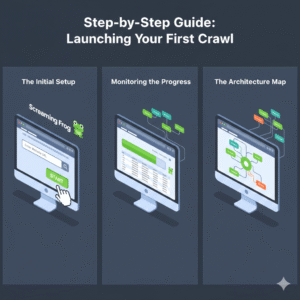
- The Initial Setup: Once the application is open, locate the address bar at the top. Enter your primary homepage URL and click the “Start” button.
- Monitoring the Progress: You will see a progress bar and a rapidly filling list of URLs. This is the “Crawl” in action. The software is visiting every link on your domain. It’s collecting data on headers, response codes, and file sizes. Block type in the original document: list-item
- The Architecture Map: While the crawl runs, look at the right-hand window. The tool is building a visual hierarchy of your site. This lets you see how many “clicks” deep your content buried a crucial factor for both users and search bots.
How to Use Screaming Frog to Improve On-Page SEO: The 7 Core Audits
Once the crawl reaches 100%, you are holding a treasure trove of diagnostic data. Here are seven key checks to boost your search visibility right away.
- Page Title Optimization
The page title is the most significant element on the page, a point that can be debated. It tells the search engine exactly what the page is about. Navigate to the “Page Titles” tab and use the filter to find “Missing” or “Duplicate” titles. Every page must have a unique, descriptive title. Furthermore, keep an eye on the “Length” column. Titles should be under 60 characters or 600 pixels. If they’re too long, Google will cut them off with an ellipsis (…). This can lower your click-through rate.
- Mastering Meta Descriptions
Meta descriptions don’t improve keyword rankings. But, they act as your main “sales copy” in search results. A compelling description encourages users to click your link over a competitor’s. Check the “Meta Description” tab. Look for descriptions longer than 160 characters or ones that are missing. A catchy summary on each key page is an easy way to boost your traffic.
- Auditing Heading Hierarchy (H1 and H2)
Headings provide a roadmap for your content. Search engines use the H1 tag to understand the primary topic of the page. A common mistake is having many H1 tags or none at all. Use the H1 and H2 tabs in Screaming Frog to ensure a logical hierarchy. Each page must have one H1 tag with your main keyword. Then, use H2 tags for sub-topics. This structure improves readability and topical relevance.
- Eradicating Broken Links and 404 Errors
Nothing kills a user’s trust faster than a “Page Not Found” error. These broken links also prevent search bots from effectively indexing your site. Go to the “Response Codes” tab and filter for “Client Error (4xx).” Once you find a broken URL, click the “Inlinks” tab at the bottom of the screen. This shows all the pages on your site linking to that dead URL. You can then go to your CMS and update the links right away.
- Image Alt Text and Accessibility
Images are often overlooked in SEO. Google cannot “see” an image; it reads the “Alt Text” to understand the context. You can find graphics that need labels by filtering for “Missing Alt Text” in the “Images” tab. Adding alt text helps you rank in Google Image Search. It also helps visually impaired users who rely on screen readers to access your site.
- Internal Link Authority and Crawl Depth
The “Internal” tab shows how you distribute authority across your site. Pay close attention to the “Crawl Depth” column. A page that needs more than three clicks from the homepage is likely ignored by users and search engines. Linking your deep pages to high-authority ones can boost your internal links. This can help “revive” content that isn’t performing well.
- Identifying Content Quality Issues
Google rewards high-quality, large content. In the “Internal” tab, you can sort your pages by “Word Count.” Check pages with very low word counts (thin content). They may need expansion, combination with other pages, or complete removal. Also, check the “Content” tab to find exact duplicates. This can cause “keyword cannibalization.” Your pages end up competing for the same search term.
Advanced Auditing: JavaScript and API Integration
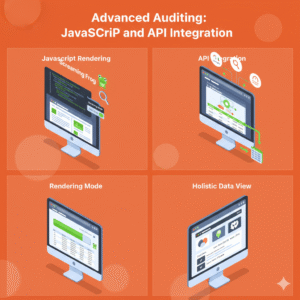
Modern web development often utilizes frameworks like React or Angular. Standard crawlers often struggle with content made by client-side JavaScript. Screaming Frog solves this by offering a “JavaScript Rendering” mode. The Chromium Web Rendering Service (WRS) renders the page like a modern browser. This lets you see exactly what content is being indexed.
Furthermore, you can supercharge your audit by integrating third-party APIs. Link your Google Search Console and Google Analytics accounts. You can view real-time data on clicks, impressions, and bounce rates in Screaming Frog. You can connect PageSpeed Insights to see “Core Web Vitals,” like LCP and CLS, for all URLs on your site at once. This broad view is crucial for anyone comparing SEO packages for small businesses. It offers a data-backed benchmark for performance.
Implementation and Continuous Monitoring
The true benefit of using Screaming Frog for on-page SEO is in how you put it into action. After identifying issues, you can export your findings into Google Sheets or Excel. This gives you a clear to-do list for your development team or your weekly tasks.
Don’t treat this as a one-time task. SEO is a moving target. I recommend performing a technical crawl at least once a month. This lets you compare crawls. You can check if recent updates caused new errors. For example, look for accidental 301 redirect loops or missing XML sitemaps.
Final Thoughts on Strategy
Mastering this software places the power of a professional SEO agency in your hands. Focusing on your site’s structural health helps a lot. Fix broken links, optimize headers, and ensure fast load times. This creates a strong foundation, making it easier for your content to succeed. You can either handle it yourself or get SEO packages for small businesses. Screaming Frog gives important insights for lasting success in search engines. Begin your first crawl today. Observe how a few technical changes can increase your organic traffic.