
Building a great software-as-a-service (SaaS) company is a big dream for many. Right now, the SaaS business model is booming. Experts say the industry will reach over $317.55 billion very soon. Most SaaS companies love the fact that they don’t need heavy hardware to work. They offer a cloud-based software solution. Anyone can use it from their computer. But even with the best software, you need people to find you. This is where SaaS technical SEO comes in. To rank high on Google, focus on more than your website’s colors. Pay attention to the “invisible” elements that help it function well.
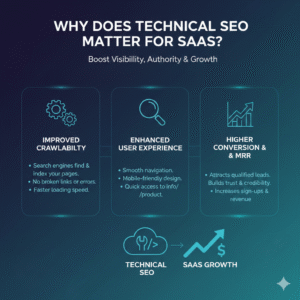
Why Does Technical SEO Matter for SaaS?
Think of your website like a car. The content—your blogs and service pages—is the paint and the seats. But the engine is your technical SEO. If the engine is broken, the car won’t move, no matter how pretty it looks. Many tech-savvy professionals focus on content creation. But they often overlook the “behind-the-scenes” mechanics. This is why their search rankings stay stuck.
To be a winner, you must see SEO as a tripod with three legs. The first leg is On-page SEO (your words). Off-page SEO is the second leg. It includes Email Outreach Link Building. This helps get other sites to mention you. The third and most important leg is SaaS technical SEO. This leg ensures your site has “indexability.” If search engine bots can’t crawl and index your pages, they won’t include them in their search catalog. If you aren’t in the catalog, you won’t show up in the search results or SERPs. It’s that simple.
The Foundation: Your Site Architecture
A good SaaS technical SEO strategy starts with a blueprint. We call this site architecture. I always suggest a “flat” page hierarchy. This means a user should be able to reach any page on your site in a few clicks from the homepage.
One great way to help people and bots find their way is by using breadcrumb navigation. It looks like this: Home > Products > Features. This trail of hyperlinks helps everyone understand where they are. You should also make sure your URL structure is clean. Use a category-based structure with target keywords. Avoid long strings of random numbers. Whether you want to win at a Bing SEO campaign or rank on Google, clean URLs are a must.
Don’t forget to give Google a map! You do this by submitting an XML sitemap to Google Search Console (GSC). You can also use Bing Webmaster Tools for this. If you use WordPress, the Yoast SEO plugin is a great help. You can also use a tool like Screaming Frog SEO Spider to find broken links, like the famous “404 Not Found” error. If you move your site to a new home, always use a 301 redirect so you don’t lose your visitors.
Making the Page Load: Rendering and Speed
The next part of saas technical seo is called rendering. This is a fancy word for how a browser builds your page so people can see it. For many SaaS sites, things like JavaScript and CSS can get in the way. These can create “render-blocked files” that make your page load very slowly.
If your site is slow, you will fail Google’s Core Web Vitals test. This is a test Google uses to see if your site is fast enough for users. To fix this, tech experts use “server-side rendering” or “static rendering.” This ensures the “DOM tree” (the skeleton of your site) is ready before the user even clicks. Another trick is “hydration.” It helps data and copy load smoothly. This way, the browser doesn’t get stuck.
Indexing: Getting Into the Catalog
Indexing is like the gatekeeper of your site. You have a special file called robots.txt in your root directory. This file shows crawler bots where to go and where to avoid, like your private admin section. If this file is set up wrong, you will have big SEO problems.
SaaS sites often have a problem with duplicate content. This happens when you have many product pages that look almost the same. To keep your “canon” clean, you should use canonical tags or “noindex” tags. These tags tell the search engine, “Hey, this is the main version of the page, ignore the others.” I always check Google’s free Robots.txt Report. This helps me avoid hiding my best pages from search results.
The User Experience: Mobile and AI
We live in a world where everyone uses smartphones. Since Google now uses mobile-first indexing, your website must be mobile-friendly. It needs a responsive design that looks good on any screen. If your pop-ups are too big or your site is too slow, people will bounce off to a competitor’s site.
Use tools like GTMetrix, Google PageSpeed Insights, and Google Lighthouse. They help you check your site speed. Always compress your images and videos to keep things light. Also, remember that AI search platforms like ChatGPT and Gemini are now reading your site. To be a “trusted source” for AI, you need schema markup. This is a special code that helps bots interpret and cite your content correctly.
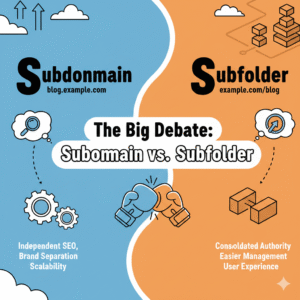
The Big Debate: Subdomain vs. Subfolder
Many SaaS companies wonder: should our blog be at blog.mysite.com (a subdomain) or mysite.com/blog (a subfolder)? In my experience, subfolders are much better for saas technical seo. This is because they keep all the “link juice” (the power of your links) on your main domain. This boosts your branding. It also helps search engine crawlers find everything in one main folder.
Better Visibility with Structured Data
Structured data is your secret weapon. By using “schema markup,” you can get rich snippets in the search results. These are the little extras, like star ratings or FAQ sections, that show up under your link. When people see these, your click-through rates (CTRs) go up.
I recommend using:
- Organization Schema: For your brand info.
- Product Schema: For your software features.
- FAQ Schema: To answer common questions right on the Google page.
- Article Schema: For your blog posts.
The Best Tools to Use
You don’t have to do all this by hand. There are many great tools to help you with your technical SEO audit:
- Screaming Frog: Great for website crawling and finding dead links.
- Sitebulb: Gives you easy charts and graphical forms to see what is wrong.
- Google Search Console: This tool lets you check keyword rankings. It also helps find crawl errors.
- Google Tag Manager: This tool lets you handle measurement codes and tags easily. You won’t need to change the site code each time.
- Oncrawl or Lumar:These are strong tools. They help big sites with deep architecture analysis.
Final Technical Tips for Success
As you work on your site, keep a checklist. Check your “Response codes” to make sure you don’t have too many 404 errors. Make sure your servers are running on 200 (Ok) status. If you have a global company, use “HREFLANG tags” to help with language translations. This ensures that a user in France sees the French version of your site.
Always minify your CSS and JavaScript. This means making the code files as small as possible. Use “browser caching” so that if a person visits your site twice, it loads even faster the second time. Make sure your “Meta viewport” tag is set up so your site fits perfectly on a phone screen.
Staying Ahead of the Competition
The world of SaaS is very competitive. Whether you’re managing a project or budgeting, someone is always after your role. By focusing on the “invisible” parts of your site, you give yourself a huge advantage.
When your site is fast, easy to crawl, and free of errors, Google will reward you with higher organic rankings. This lowers your acquisition costs because you don’t have to pay for as many ads. People will find you naturally, trust your site because it works well, and sign up for your product demos.
Technical SEO is not a one-time job; it is something you should check every few months. Follow these simple steps to give your SaaS company a strong foundation. This helps it grow into a multi-million dollar business. Keep your code clean, your site fast, and your architecture simple. Then, search engines will handle the rest for you.