
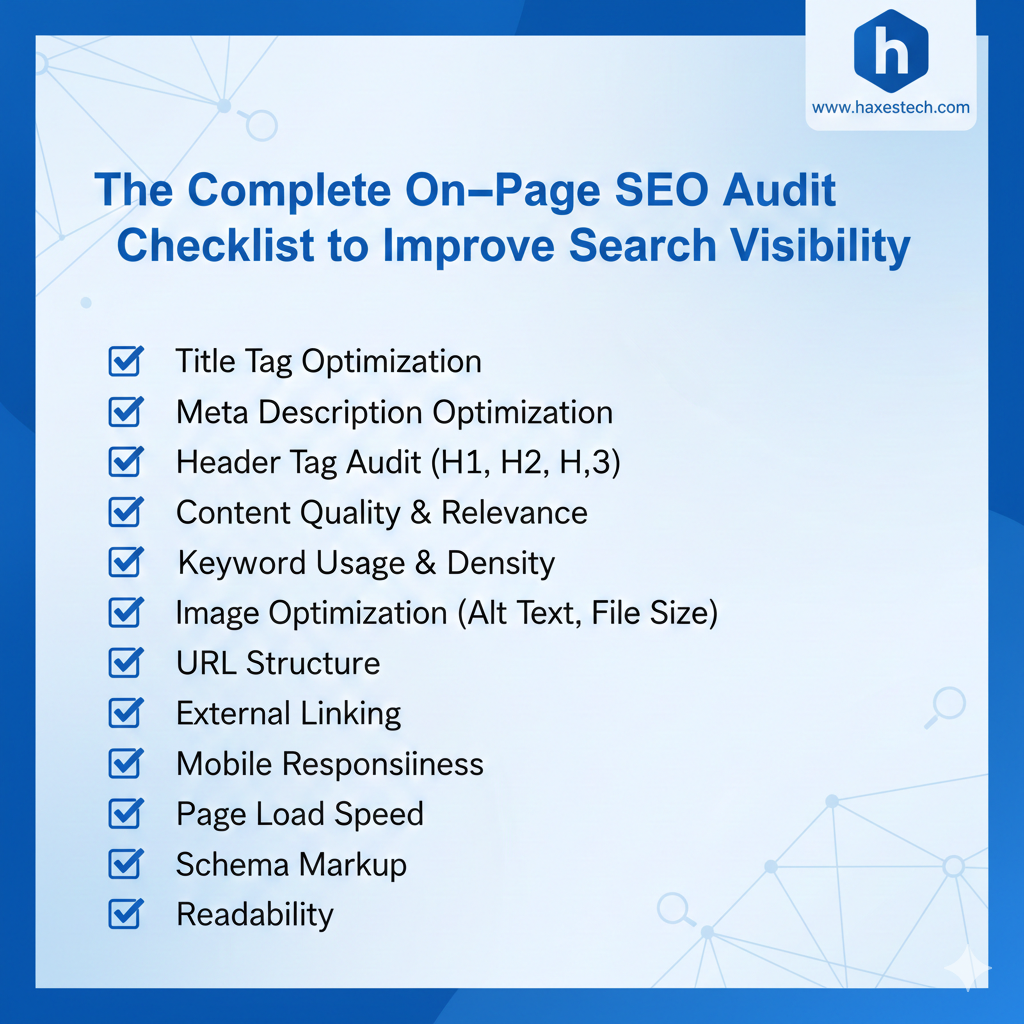
An on-page SEO audit checklist helps you see why a website does well or has trouble in search results. It’s a thorough method to review a website. You check its content, technical structure, meta data, internal links, and user experience. I treat every audit like a full health check. A site’s ranking depends on how well it matches search engines. It also needs to meet real users’ needs and Google’s expectations. This process isn’t a task; it’s the heartbeat of your online presence. It makes sure every page you publish can rank, engage, and convert.
What is an On-Page SEO Audit?
At its core, an on-page SEO audit is a comprehensive health check for your website. It’s the process of checking everything on your pages. This includes the words you write and the code in the background. You do this to see how well it meets search engine needs. In my years of offering SEO services, I’ve noticed a shift. The industry has moved from strict, robotic rules to a more holistic approach.
Today, search engines like Google look for more than keywords. They also reward clarity, relevance, and performance. An audit helps you stop “gaming the algorithm.” Instead, it guides you to build a site that effectively serves your audience. It covers everything. This includes technical structure, metadata, and internal linking patterns. These elements help search engines see which pages are most important.
Why Your On-Page Foundation is Critical
Amid the buzz about AI content and social search, it’s easy to overlook on-page SEO. But it remains the key to your success. You can have great backlinks. But if your site is slow or hard to use on mobile, you will be nearly invisible. This is also true if you hide key facts in long paragraphs.
Modern search algorithms have evolved. With tools like SGE (Search Generative Experience), we are seeing the rise of SEO for AI search. These AI-driven results focus on context and intent over simple word matches. If your on-page SEO audit checklist skips
Mastering Keyword Optimization and Search Intent
The first major pillar of your audit should be keyword optimization. But modern strategy requires moving beyond simple research. It’s about aligning your business goals. You need to understand what users want when they search.
Avoiding the Cannibalization Trap
When I perform an audit, one of the first things I look for is keyword mapping. This is the process of assigning specific target keywords to individual pages. Without this, you risk “keyword cannibalization.” This happens when several pages on your site target the same term. It confuses Google and lowers your rankings.
Building Topical Authority
To stay ahead of the competition, you should maintain an SEO content calendar. This helps you make fresh content. It targets seasonal trends and long-tail variations. Covering a niche from every angle builds “topical authority.” This shows search engines you’re an expert in your field.
Strategic Placement
Integrity matters. You should avoid keyword stuffing. But make sure to place your primary keyword correctly. It belongs in your title tag, your meta description, and within the first 100 words of the page. This signals relevance to the website’s topic immediately upon crawling.
The Power of Small Elements: Titles and Meta Data
Think of your search engine listing as a digital advertisement. Your title tag is your headline. To boost click-through rates (CTR), keep titles between 50 and 60 characters. Place your primary keyword at the beginning and use “power words” or numbers to grab attention.
Meta descriptions aren’t a ranking factor for the algorithm, but they’re crucial for users. They provide a preview of your page. A solid description of 150 to 160 characters acts as a powerful call-to-action (CTA). It encourages qualified visitors to pick your site over a competitor’s. In today’s AI age, data-driven decisions for your metadata can boost your SEO performance.
Structuring for Readability and Logic
The way you structure your content is a major factor in both user experience and SEO. Header tags (H1 through H6) are non-negotiable.
- The H1 Tag: Every page must have exactly one H1 tag that clearly states the main topic.
- Subheadings (H2 & H3): Use these to organize subtopics. This hierarchy helps search engines follow your writing. It also makes it easier for users to skim and find the information they need.
This logical structure is particularly important when handling SaaS Technical SEO. In software, complex technical documents appear with marketing text. They often mix together. Clear headings help users and search bots navigate content. Without them, both can get lost in technical jargon.

URL Structure and Internal Linking
The “circulatory system” of your site is its linking structure.
Clean URLs
A clean URL structure is foundational for trust. Your URLs should be short, descriptive, and keyword-rich. I always suggest using hyphens to separate words instead of underscores. Also, remove any extra parameters or numbers that make a link look “spammy.”
Linking for Authority
Internal links distribute authority throughout your site and improve crawlability. Linking related pages with clear anchor text helps Google understand your content. It shows how your pages connect. Meanwhile, external links to authoritative sources build credibility. Remember to have external links open in a new tab so you don’t lose your visitors.
Image Optimization and Engagement
High-quality images make a page look nice. But unoptimized files can slow down websites a lot. Check your on-page SEO audit checklist. Ensure that you compress all images for quick loading.
Every image should have a descriptive filename and “alt text.” Alt text is key for accessibility. It helps screen readers describe images for users with visual impairments. Also, it’s a chance to add important keywords for search engines.
[Image demonstrating the impact of image compression on page load speed]
Mobile-Friendliness and Core Web Vitals
We live in a mobile-first world. Most decision-makers now research solutions on phones or tablets. If your site isn’t responsive, you are losing leads.
Google’s “Core Web Vitals” are now a critical part of how sites are ranked. You should use tools like Google PageSpeed Insights or Lighthouse to check:
- LCP (Largest Contentful Paint): How fast the main content loads (aim for under 2.5 seconds).
- FID (First Input Delay): How fast the site responds to a user’s first click (aim for under 100ms).
- CLS (Cumulative Layout Shift): How stable the page is as it loads (aim for under 0.1).

Technical Security and Indexability
A secure site is a trusted site. Ensure your website has an SSL certificate (HTTPS). Beyond security, you must manage “crawl budget” optimization. This ensures search engines don’t waste time on duplicate or low-value pages. Use canonical tags to show Google the “master” version of a page. Also, keep your XML sitemap updated. This helps new content get indexed quickly.
User Experience (UX) and Content Freshness
Finally, remember that Google rewards high-quality, unique, and updated content. SEO and UX are deeply interconnected. A good page design has lots of whitespace, short paragraphs, and bullet points. This will help lower your bounce rates.
Regularly revisit your old posts to add multimedia elements like videos or infographics. Updating your content tells search engines your site is active and in touch with trends.
The Road Ahead
Using a high-impact on-page SEO audit checklist is not a “one-and-done” task. Successful websites iterate and evolve. Using tools like Google Search Console is helpful. They let you track your performance. Google Analytics does this too. This way, you can spot your strengths and weaknesses. This data-driven method keeps your online presence strong, even as search trends shift.