
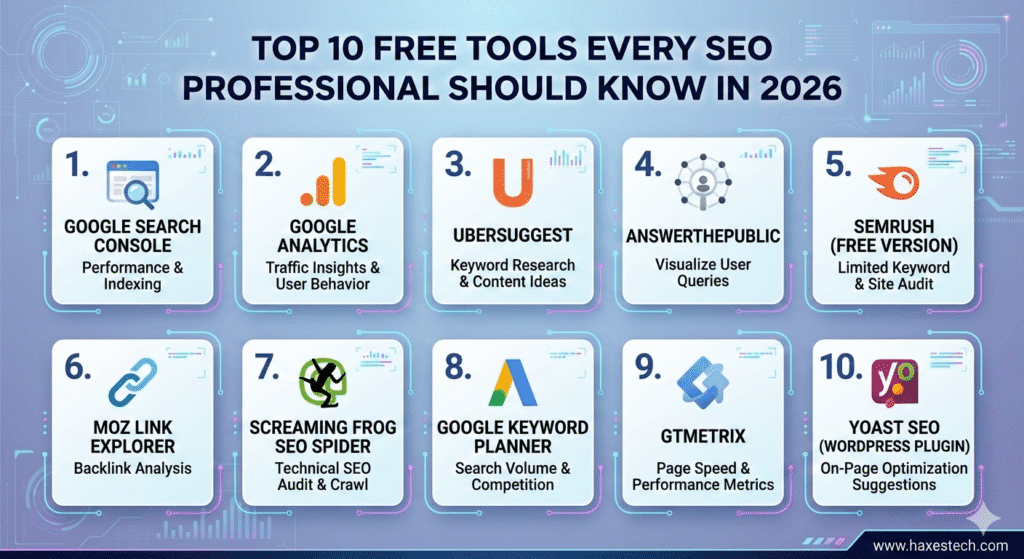
In the modern digital world, building a successful website doesn’t always require a massive bank account. Many people believe that to rank on the first page of Google, you must spend thousands of dollars on expensive software. However, the truth is quite different. Some of the most powerful insights come from tools that cost absolutely nothing. Whether you are a small business owner, a freelancer, or a student, mastering the Top 10 Free Tools Every SEO Professional Should Know can be the turning point for your online success.
SEO, or Search Engine Optimization, is the art of making your website “friendly” to search engines like Google. When you use the right tools, you stop guessing and start making decisions based on real data. These tools help you understand what your customers are searching for, why your competitors are outranking you, and how to fix technical errors that might be hiding your site from the world.
Why You Should Start with Free SEO Tools
The beauty of free SEO tools is that they remove the financial barrier to entry. They allow you to experiment, learn, and grow without risk. For a beginner, these tools provide a solid foundation. For a professional, they serve as reliable companions to verify data and perform quick audits.
By using these resources, you can:
-
Track Performance: See exactly how many people visit your site.
-
Find Opportunities: Discover keywords that are easy to rank for.
-
Fix Mistakes: Identify broken links or slow pages that annoy users.
-
Save Money: Direct your budget toward content creation or advertising instead of software subscriptions.
1. Google Search Console: The Direct Line to Google
If there is only one tool you ever use, let it be Google Search Console. This is a free service offered by Google that helps you monitor, maintain, and troubleshoot your site’s presence in search results. It is the most accurate way to see how the world’s largest search engine views your pages.
With Search Console, you can see which specific keywords are bringing people to your site. You can also see your “Click-Through Rate” (CTR), which tells you if your titles are catchy enough to make people click. Most importantly, it alerts you to “crawl errors”-problems where Google’s robots tried to visit your site but failed. If Google can’t see you, they can’t rank you. This tool is the heartbeat of any professional SEO strategy.
2. Google Analytics: Understanding Your Audience
While Search Console tells you how people find your site, Google Analytics tells you what they do once they arrive. It is a deep-dive tool into human behavior. Are users leaving after five seconds? and Are they reading your blog posts until the end? Are they buying your products?
Google Analytics provides data on demographics, such as where your visitors live and what devices they use (mobile vs. desktop). This information is vital because if most of your users are on mobile, but your site looks bad on a phone, you are losing money. By analyzing this data, you can improve the user experience, which is a major factor in how Google ranks websites today.
3. Ubersuggest: Keyword Research Made Simple
Created by marketing expert Neil Patel, Ubersuggest is a fantastic tool for those who find SEO data overwhelming. Its free version offers a clear look at keyword volume, competition levels, and even content ideas.
If you type in a topic like “Best Coffee Beans,” Ubersuggest will give you a list of related phrases that people are searching for. It also shows you “Domain Authority,” which helps you understand how strong your competitors are. For a content creator, this tool is like a compass-it ensures you are writing about things people actually care about.
4. AnswerThePublic: Mapping Human Curiosity
Modern SEO is no longer just about single words; it is about answering questions. AnswerThePublic is a unique tool that listens to search engine autocomplete data and creates a “map” of every question people ask about a topic.
When you enter a keyword, it generates a cloud of questions starting with “Who,” “What,” “Where,” “Why,” and “How.” For example, if you search for “Pizza,” it might show you that people are asking “How to make pizza dough at home?” Creating content that directly answers these specific questions is a shortcut to ranking in the “Featured Snippet” (the box at the top of Google results).
5. SEMrush (Free Version): Professional Data at No Cost
SEMrush is famous for being a premium, high-cost tool used by big agencies. However, many people don’t realize they offer a free plan. While the free version has limits on how many searches you can do per day, the data is top-tier.
You can use it to perform a “Domain Overview” of your competitors. It shows you their top-performing keywords and where their backlinks are coming from. This “spy” data is incredibly valuable. If you know what is working for your competition, you can adapt those strategies for your own website.
6. Moz Link Explorer: The Master of Backlinks
Backlinks (when another site links to yours) are like “votes of confidence” in the eyes of Google. However, not all votes are equal. A link from a famous news site is worth more than a link from a random, tiny blog. Moz Link Explorer helps you measure the quality of these links.
Moz created the “Domain Authority” (DA) metric, which has become an industry standard. By using their free link explorer, you can see who is linking to you and your competitors. This helps you identify “broken link building” opportunities or find guest posting spots to boost your own site’s authority.
7. Screaming Frog SEO Spider: The Technical Doctor
Technical SEO can be scary for beginners, but Screaming Frog makes it manageable. It is a desktop program that “crawls” your website just like a search engine does. The free version allows you to crawl up to 500 pages.
It quickly finds things that are hard to see with the naked eye:
-
Broken links (404 errors)
-
Duplicate page titles
-
Missing meta descriptions
-
Images that are too large and slowing down your site Fixing these technical “health” issues ensures that search engines can navigate your site easily and reward you with better rankings.
8. Google Keyword Planner: The Original Data Source
Originally built for people buying Google Ads, the Keyword Planner remains a goldmine for SEOs. Because the data comes directly from Google’s advertising database, the search volume numbers are very reliable.
It is particularly useful for finding “Commercial Intent” keywords. These are words used by people who are ready to buy something, not just looking for information. Even though the tool is free, it provides professional-grade insights into how competitive a market really is.
9. GTmetrix: Speeding Up Your Success
In 2026, a slow website is a dead website. Google has officially stated that page speed is a ranking factor. If your site takes more than 3 seconds to load, most users will leave. GTmetrix is a free tool that analyzes your site’s speed and gives you a “grade.”
It doesn’t just tell you that your site is slow; it tells you why. It might suggest that your images are too big or that your hosting is slow. By following the simple recommendations provided by GTmetrix, you can improve your loading times, which leads to happier users and higher rankings.
10. Yoast SEO: Your On-Page Assistant
For anyone using WordPress, Yoast SEO is a legendary plugin. It acts like a personal SEO coach for every blog post you write. As you type, the tool uses a “traffic light” system (Red, Orange, and Green) to show you how well-optimized your content is.
It checks if you’ve used your keyword in the title, if your sentences are too long, and if you’ve forgotten to add “alt text” to your images. It handles the complicated technical stuff in the background, like creating a “Sitemap,” so you can focus on writing great content.
How to Create a Workflow with These Tools
Knowing the tools is the first step, but using them together is where the magic happens. Here is a simple 5-step workflow you can follow:
-
Research: Use AnswerThePublic and Ubersuggest to find out what people are searching for.
-
Create: Write your content and use Yoast SEO to make sure it’s optimized for your keywords.
-
Audit: Use Screaming Frog and GTmetrix to make sure your website is technically healthy and fast.
-
Promote: Use Moz Link Explorer to find websites that might want to link to your new content.
-
Track: Check Google Search Console and Analytics every week to see your progress and adjust your plan.
Final Thoughts
The Top 10 Free Tools Every SEO Professional Should Know are more than just software-they are the keys to a successful online business. You don’t need a huge budget to compete with the “big guys.” By using Google’s own data, analyzing your speed, and understanding user questions, you can build a website that ranks high and stays there.
The most important thing is to start. Pick one tool today-perhaps Google Search Console-and see what it tells you about your site. Small, data-driven changes lead to massive long-term growth.
Frequently Asked Questions
1. Are free SEO tools as good as paid ones? Free tools provide excellent data for beginners and small sites, though paid tools offer more automation and deeper data for large-scale businesses.
2. Do I need to be a coder to use these tools? No, most of these tools (like Yoast or Ubersuggest) are designed with simple interfaces that anyone can understand.
3. Is Google Search Console really free? Yes, it is a 100% free service provided by Google to help website owners succeed.
4. Can I rank on page one using only free tools? Absolutely. Many successful websites have reached the top of Google using nothing but these free resources and high-quality content.