
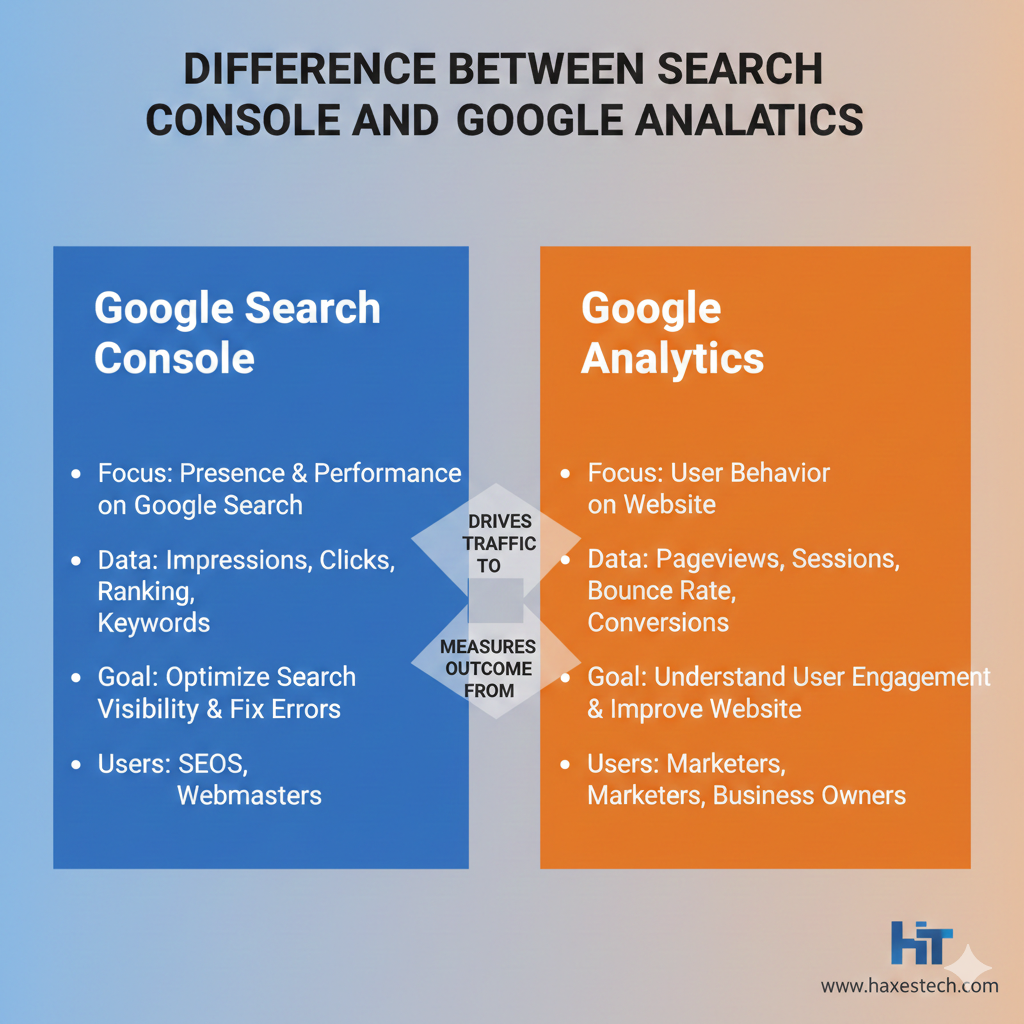
Knowing website data is crucial. It matters for SEO and digital marketing. Many website owners use Google tools, but they often feel confused about what each tool does. Search Console and Google Analytics show your website in different ways. Understanding this difference is key. One shows how your site looks in Google search results. The other shows what users do once they visit your website. From my experience with different websites, using both tools helps a lot. It gives a clearer picture of SEO performance and user behavior.
What Google Analytics Really Does
Google Analytics is a tool that helps you understand your website visitors. It tells you who is coming to your site, where they come from, and what they do after landing on your pages. When I start with a client website, I always check Google Analytics first. It helps me understand traffic and user behavior.
With Google Analytics, you can track user visits, session counts, and page views. It also shows where traffic comes from. This includes organic search, paid ads, social media, email, and referral links. This helps you understand which marketing efforts bring real results.
Google Analytics also tracks how users interact with your site. You can see bounce rate, time on page, average session duration, and which pages users leave from. These metrics help identify weak pages and improve content, layout, and navigation.
Why Businesses Use Google Analytics
Google Analytics is useful for almost every type of business. Marketers use it to track campaign performance and audience targeting. Content creators use it to see which blogs or landing pages perform best. Ecommerce businesses rely on it to track purchases, cart activity, and conversion rates.
In my own work, I often use Google Analytics to find pages that get traffic but do not convert. This helps improve calls to action, internal links, and page structure. GA also shows device data, letting you see how users behave on mobile, tablet, or desktop.
Limits of Google Analytics
Even though Google Analytics is powerful, it has limitations. It does not show how Google ranks your pages or why some pages do not appear in search results. It also cannot show crawl errors, indexing issues, or search impressions.
Another limitation is that user data can change. If someone clears cookies or switches devices, they may appear as a new user. This can affect accuracy when tracking returning visitors.
What Google Search Console Does
Google Search Console focuses on how your website performs in Google search results. It is a free tool that shows how Google sees your website. The difference between Search Console and Google Analytics is clear here.
Google Search Console shows your pages’ search impressions. It also shows clicks, click-through rate, and average position. It tells you which search queries people type into Google before clicking your site. This helps understand keyword performance and search visibility.
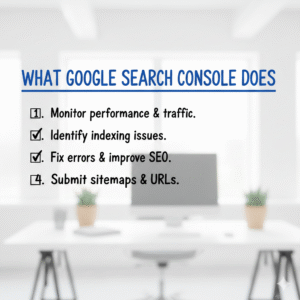
It also helps with technical SEO. You can submit sitemaps and inspect URLs. You can also request indexing and check whether the pages index correctly. When a page suddenly drops in rankings, I first check Search Console to find the issue.
Who Needs Google Search Console
SEO specialists, website owners, and developers all enjoy Google Search Console. Content writers use it to see which keywords bring impressions and clicks. Developers use it to fix crawl errors, broken links, and mobile usability issues.
Search Console is also very useful during traffic drops. If organic traffic drops, GSC can help. It shows if the problem is indexing, page experience, or search visibility.
Limits of Google Search Console
Google Search Console also has some limits. It does not show user behavior on your website. You cannot see time on page, bounce rate, or conversion data. It also does not track traffic from social media, email, or paid ads.
Another limitation is data delay. Search Console data is usually two to three days old and only keeps history for a limited time.
Same Website, Different View
Search Console and Google Analytics are two tools. They serve different purposes. Their differences are clear and easy to grasp. Search Console shows what happens before users visit your website. Google Analytics shows what happens after users arrive.
A click in Google Search Console means someone clicked on your site in Google search results. A Google Analytics session occurs when someone visits your site and engages with it. This is why clicks and sessions are not always equal.
Sometimes users click and leave quickly and sometimes tracking scripts fail. Sometimes bots click links. This causes data differences between both tools.
Keywords and Search Intent
Keywords are another area where both tools differ. Google Search Console shows search queries, impressions, clicks, and average positions. This helps you understand how your site appears in Google.
Google Analytics does not show full keyword data from organic search. Instead, it focuses on sessions, engagement, and conversions for pages. When you combine both tools, you can match keywords with real user behavior.
For example, a keyword may get many impressions but low engagement. This may mean the content does not match search intent. This insight helps improve content quality and keyword targeting.
Technical SEO vs User Experience
When rankings drop or traffic slows down, knowing where the problem lies saves time. Google Search Console is great for fixing technical SEO issues. It helps with crawl errors, indexing problems, Core Web Vitals, and mobile usability.
Google Analytics focuses on user experience. It shows whether users leave quickly, stop scrolling, or fail to convert. In my experience, using both tools together helps. They Find performance issues faster.

Using Both Tools Together
The best results occur when you link Google Search Console and Google Analytics. Linking them allows you to see search query data inside Google Analytics reports. This gives a clearer picture of which keywords bring engaged users.
When managing SEO projects, I always connect both tools. This helps track organic performance, user behavior, and conversions in one workflow. It also makes reporting easier and more accurate.
Why Both Tools Matter for SEO
SEO is not about rankings or traffic alone. It is about visibility, relevance, and results. Google Search Console helps improve search presence. Google Analytics helps improve user engagement and conversions.
Using only one tool gives incomplete data. Using both gives balance. This approach helps with long-term SEO strategies, content optimization, and technical improvements. It also supports smarter decisions. You can use it for on-page SEO, technical fixes, or Off Page SEO Directory Submission.
Final Thoughts
Search Console and Google Analytics differ. It’s not about which tool is better. It’s about their unique features. It is about how they support each other. One explains how users find you. The other explains what they do next.
They work together to drop guesswork in SEO. This boosts your traffic, engagement, and conversions with confidence.
Frequently Asked Questions (FAQs)
FAQ 1: What is the main difference between Search Console and Google Analytics?
The main difference between Search Console and Google Analytics is that Search Console focuses on search performance, while Google Analytics focuses on user behavior on the website.
FAQ 2: Does Google Search Console show website traffic?
Google Search Console shows clicks and impressions from Google search, but it does not show full traffic details like sessions or users.
FAQ 3: Can Google Analytics replace Search Console?
No, Google Analytics cannot replace Search Console because both tools provide different and important data for website analysis.
FAQ 4: Which tool is better for SEO, Search Console or Google Analytics?
Both are important for SEO. Search Console helps with search visibility and indexing, while Google Analytics helps understand user behavior and conversions.
FAQ 5: Should I use Search Console and Google Analytics together?
Yes, using both together gives a complete view of search performance and user activity on your website.