
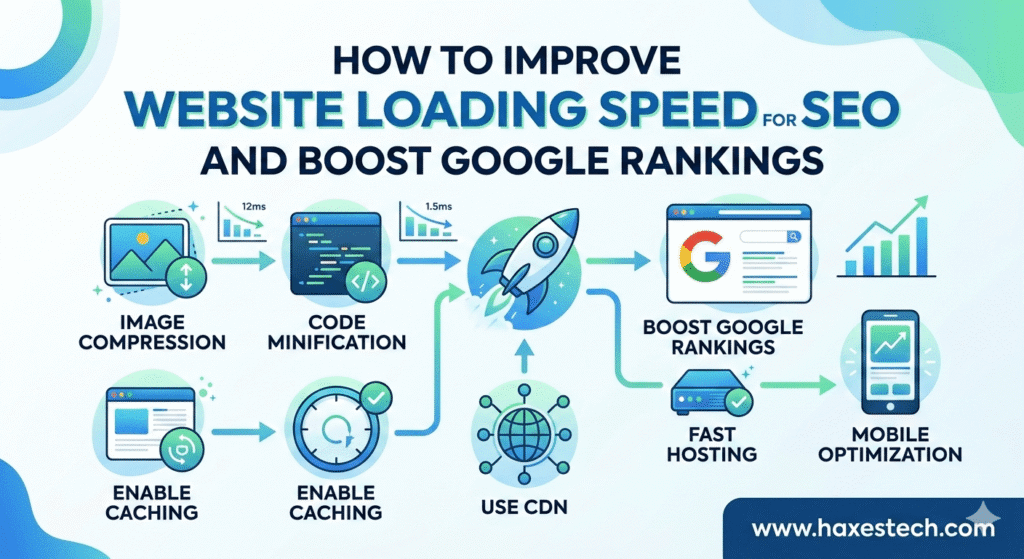
Learning how to improve website loading speed for SEO is one of the most important things you can do for your digital success today. When I first started managing websites, I realized that speed isn’t just a technical detail—it is the heartbeat of your user’s experience. If a page takes too long to load, people don’t wait; they leave. In fact, research shows that a simple 1-second delay can lead to a 7% drop in sales. Whether you are running a blog or a large store, making your site fast is the best way to keep your visitors happy and keep your business growing.
Why Website Speed Matters for SEO and User Experience
The impact of speed on user experience is immediate. A slow website frustration often leads to website abandonment, especially when users encounter a page load time delay. Research shows the famous 1-second delay impact can cause noticeable conversion reduction, and in some studies a 1-second delay in website load time increases the likelihood of a visitor leaving by 32%. In a highly competitive SEO landscape, this statistic acts as a clear call to action for any website manager or digital marketer.
Modern users expect fast smooth experiences from quick loading websites, especially with the rapid mobile browsing growth. Visitors want positive first impressions, fast content interaction, and smooth website responsiveness that meets their browsing expectations. When websites fail to deliver this speed, they are often perceived as slow websites perception, unreliable websites, or even unprofessional websites, leading to higher bounce rates, lower user satisfaction, and reduced visitor retention.
Google cares deeply about how users feel when they visit your site. Since April 2023, Google’s systems have put even more weight on “page experience” signals. This means that if two websites have equally good information, Google will give a higher rank to the faster one. Key metrics known as Core Web Vitals-such as Largest Contentful Paint (LCP) and First Input Delay (FID)-now act as the benchmarks for search rankings. By focusing on how to improve website loading speed for SEO, you are essentially telling Google that your site is high-quality and reliable.
High-Performance Hosting and Server Optimization
Your website’s foundation starts with your hosting provider. Many people fall into the trap of cheap shared hosting, but when too many sites share the same resources, your speed suffers. I always recommend moving to a dedicated server or cloud hosting to ensure your site can handle traffic without slowing down. Using modern technology like SSD storage and protocols like HTTP/3 can significantly cut down the time it takes for a browser to connect to your server. Additionally, optimizing your database by cleaning out old post revisions and spam comments keeps the “backend” of your site lean and fast.

Optimizing Images and Videos for Speed
Large, high-resolution images are the most common reason for a slow website. To fix this, you should use tools like TinyPNG or Squoosh to compress your photos. Switching to modern formats like WebP or AVIF provides great quality with much smaller file sizes. You should also use “Lazy Loading,” which tells the browser to only load images as the user scrolls down to them. For videos, it is often better to use Top 10 Free Tools Every SEO Professional Should Know to find the best ways to embed content from platforms like YouTube or Vimeo rather than hosting the large files on your own server.
Cleaning Up Your Site’s Code
Bloated code is like carrying a heavy backpack while trying to run. Your HTML, CSS, and JavaScript files often contain unnecessary spaces and characters that add weight to your page. By “minifying” these files with tools like CSSNano, you can make the files much smaller. You should also “bundle” your files to reduce the number of HTTP requests your site makes. This means the browser has to ask the server for fewer things, which makes the whole process of how to improve website loading speed for SEO much more effective.
Website Speed, Revenue, and Business Growth
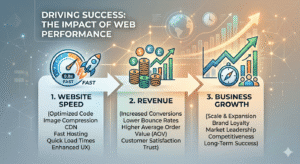
Beyond rankings, fast website performance plays a critical role in business outcomes. Improved page load time optimization leads to improved conversions, especially for e-commerce businesses where every second matters. The famous Amazon sales increase example demonstrated how just a 100-millisecond improvement in loading speed significantly improved sales performance.
For businesses focused on ROI maximization, speed optimization produces measurable performance results, stronger online revenue growth, and clear business metrics improvement. These speed performance benefits directly influence website profitability, helping companies understand the faster page loading impact on customer purchasing behavior and long-term conversion optimization. When executed correctly, business growth through speed becomes a realistic strategy rather than a theoretical concept.
Key Factors That Slow Down Websites
To truly understand How to Improve Website Loading Speed for SEO, it’s essential to identify website speed factors and the key elements slowing websites. A detailed website speed analysis often reveals multiple performance bottlenecks caused by technical performance elements or deeper website infrastructure issues. These issues reduce page loading efficiency and force teams to redesign parts of the website optimization process.
Among the most common loading speed improvement factors are poor server performance, slow website hosting speed, and limitations caused by shared hosting limitations where excessive server resource consumption results in slower load times. Upgrading to dedicated server hosting or modern cloud hosting solutions often delivers more reliable website performance.
Another major factor is media weight. Large images, unoptimized images, and heavy video files loading significantly increase increased load times. Developers often solve this by applying image compression tools such as TinyPNG optimization or ImageOptim compression, ensuring reduced image sizes while maintaining image quality preservation. Using correct formats like JPEG photos format for photos or PNG logo format for graphics improves visual file efficiency.
Using Browser Caching and CDNs
Caching is a way to store parts of your website on a visitor’s device so they don’t have to download everything again when they return. By setting up a .htaccess file with clear instructions, you can make repeat visits feel nearly instant. To help users who are far away from your physical server, you should use a Content Delivery Network (CDN) like Cloudflare or Akamai. A CDN stores copies of your site on servers all over the world, delivering your content from the location closest to the user. This is a vital step in how to improve website loading speed for SEO for a global audience.
Practical Strategies to Improve Website Loading Speed
Most effective website speed optimization strategies rely on a mix of actionable speed improvements, performance optimization techniques, and practical technical optimization methods. In real-world projects, these website loading enhancements combine multiple website performance strategies to achieve consistent speed improvement implementation.
One of the most impactful solutions is image optimization. Using image compression, resized images, and modern formats such as WebP image format-a better compression format with minimal quality loss-dramatically reduces load times. Pairing this with the lazy loading technique, where images loading on scroll delay non-essential visuals, improves initial load time. Implementing responsive images implementation with srcset attributes usage ensures images adapt to device screen resolution, enabling true multi-device optimization and a faster loading experience.
Advanced Optimization Techniques for Faster Sites
Modern performance stacks also include GZIP compression, a file compression method that enables reduced website file size and efficient browser data transfer optimization. Implemented through web server configuration or .htaccess configuration, it allows compressed file delivery supported by modern browser support, leading to faster load times and improved website speed.
Developers also optimize rendering by prioritizing above-the-fold content, the visible page content appearing in the initial screen content. By improving the critical rendering path, using essential CSS inlining, and applying deferred JavaScript loading, teams create a noticeable perceived load time improvement and faster user interaction.
Back-end improvements also matter. Database optimization often includes cleaning old post revisions, spam comments, transients, and unused tables while applying indexing strategies to speed up queries. Adding caching layers like Redis or Memcached helps reduce load database operations across both front-end components and back-end components including the server, code, and database.
Measuring Your Success with Testing Tools
You cannot improve what you do not measure. I suggest taking a holistic approach by regularly running audits on your site. Tools like Google PageSpeed Insights, GTmetrix, and WebPageTest give you a detailed look at how your site is performing. These tools will show you exactly where the bottlenecks are and provide actionable tips to fix them. By keeping a weekly or monthly schedule for testing, you can ensure that your site stays fast even as you add new content.
Focusing on these strategies will help you create a seamless experience for your visitors and a powerful signal for search engines. By trimming the fat from your code, optimizing your media, and using the right hosting, you ensure that your website is ready to compete and win in today’s fast-paced digital world.
FAQs
1. Why is website loading speed important for SEO?
Website loading speed is a ranking factor in Google’s algorithm. Faster websites improve user experience, reduce bounce rates, and help pages rank higher in search results.
2. What is a good page load time for SEO?
Ideally, a website should load within 2–3 seconds. Faster loading times improve user satisfaction and increase the chances of higher search rankings.
3. How do images affect website loading speed?
Large or unoptimized images increase page size and slow down loading. Compressing images and using modern formats like WebP can significantly improve speed.
4. Does hosting affect website speed?
Yes. A reliable hosting provider with strong server performance and good infrastructure can greatly reduce load times and improve website performance.
5. Which tools can help test website speed?
Popular tools include Google PageSpeed Insights, GTmetrix, and WebPageTest. These tools analyze site performance and suggest improvements.